Compatibility
Minecraft: Java Edition
Platforms


Creators
Details
Border


🧩 What is Border ?
Border is a powerful yet easy-to-use Minecraft plugin that lets you fully control the world's borders - through a cool and intuitive interface.
No complicated commands
Just type/borderin-game and explore a clean menu with all the settings you need !
Perfect for survival servers, events, and custom maps - Border gives you full control without touching a single config file.
🖼️ Interface Preview
Below are examples of what you'll see when using
/border:
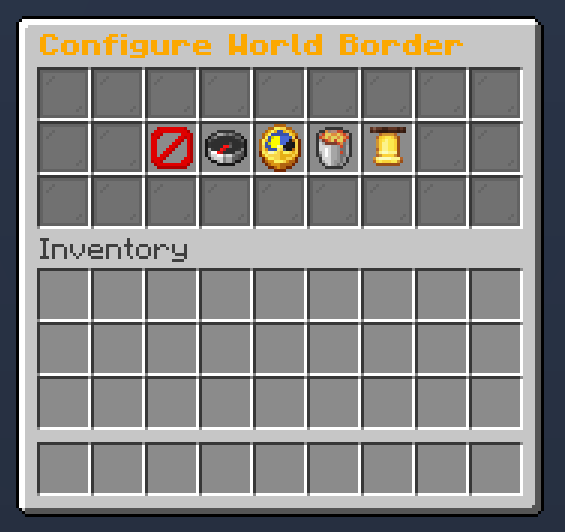
Main interface with quick access to all border controls
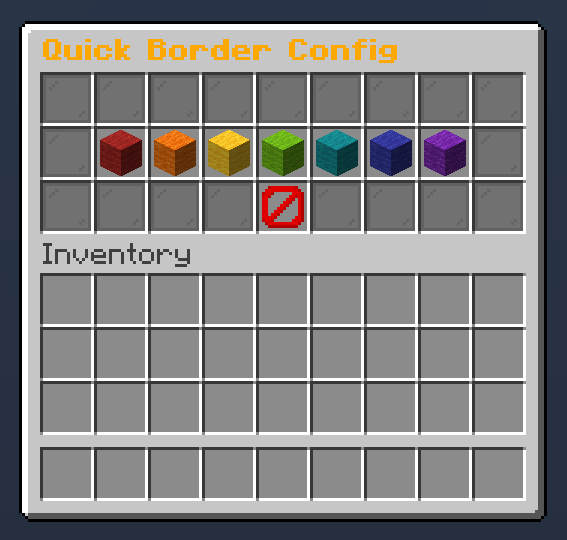
Resize the world border dynamically
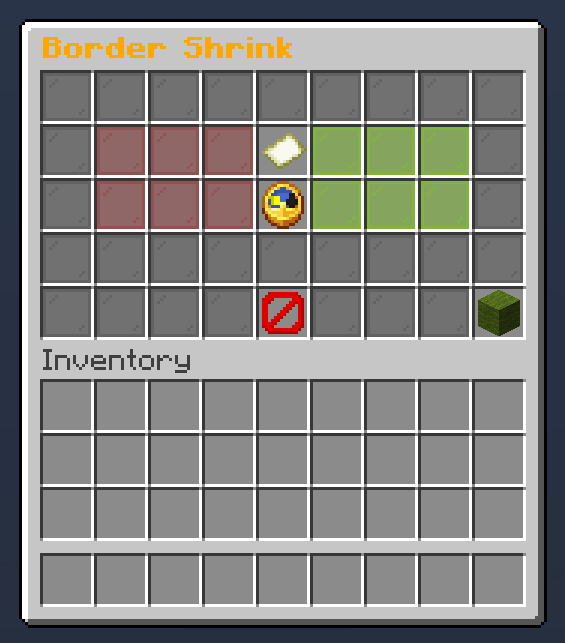
Configure border shriking
✨ GUI Structure & Features
When you type /border, you'll open a clean and intuitive main menu that gives you access to all border controls. Here's what you’ll find inside :
- Main Menu - Central hub that redirects to all sub-menus
- Size Menu - Easily change the world border size
- Center Button - Instantly center the border on your current position
- Shrink Menu - Configure dynamic shrinking (size reduction over time)
- Warning Settings - Adjust the warning distance before players reach the border
- Damage Settings - Set how much damage players take outside the border
All menus update the border in real time - no need to reboot or reload anything
⚙️ How to Install
- Download the latest
.jarfile - Drop it in your server’s
/pluginsfolder - Restart your server
- Type
/border
🤝 Community & Support
Need help, found a bug, or just want to chat ?
Join our Discord community, we’re always happy to hear your feedback and suggestions !
This plugin is completely free
If you’d like to support its development and help it grow :
Your support helps the project stay alive and brings new updates
📊 Metrics
This plugin uses bStats, an open-source statistics service for Minecraft, to collect anonymous usage data.
If you prefer to disable it, open the config file inside the bStats folder and set metrics to false